Rabu, 20 Juni 2012

Reviews : English For Computer

-->
   
A.     English and Computer
The operating instructions of a software, typically used the English language is not complicated. English is used as a software operating instructions are simple English. Not difficult to learn at once to remember it. 


English in a manual operation is usually just a simple sentences, which only requires a short follow-up, such as pressing a yes, no, cancel, skip, next, or save. 


Who became the problem, the answer would certainly be selected based on suitability to the questions posed. This option that you must understand to avoid some small mistakes.


   B.     Computer and Parts of Computer

Computer is an electronic calculating machine quickly and be able to receive digital input, then process it in accordance with programs stored in memory and generate output in the form of information, (Hamacher).

1.      Output Device

Output devices send information from your computer to you. This information is usually in the form of sound and sight. Some common output devices are monitors, printers, and speakers.      

2.      Input Device

Input devices are the parts that let you enter and manipulate information on a computer. These devices range from the standard keyboard and mouse, to scanners, microphones, joysticks, and light pens.
3.      Memory
Memory is where information is temporarily stored for the processor to use and manipulate before storing on the HARD DRIVE. Also known as RAM (Random access memory). Information is stored in memory only when the computer is turned on.
4.      Hard Drive
Hard Drive is the part of your computer where information is stored for later retrieval. All the information you access on your computer, all your documents, pictures, email messages, and programs are here. Unlike memory, the hard drive stores information even after the power is turned off. The image to the right shows the inside of a hard drive.
5.      CPU
CPU (Central Processing Unit)-  A chip that is the "brains" of computer that processes all of the information.


   C.     Some Terms of Computers
   1.      BIOS
BIOS (Basic Input-Output System) is a basic program controlling the computer hardware which was first run when the computer starts up. Its function is to identify, check the readiness and status, and report the status of hardware connected to the computer motherboard.

   2.      Operating Systems
The operating system is the second most important program that runs on a computer system after the BIOS. The operating system is a pogram which serves to control the basic hardware as well as a platform or foundation goes by another program. The most popular operating system is Windows family of Microsoft.

Selasa, 19 Juni 2012

Internet Gratis XL PC 19 Juni 2012 (Config+Proxy)

Berhubung Internet Gratis XL yang saya share sudah tidak jalan lagi alias mati. Sebenarnya Trik tersebut belum sepenuhnya mati, karena yang mati hanyalah proxi nya saja. Maka dari itu di sini saya akan menshare beberapa proxi untuk Internet Gratis XL 19 Juni 2012 yang masih maknyus. Di dalam link download saya juga sudah menyertakan langsung konfigurasi ISPCE, tapi jika tidak berjalan jangan langsung kecewa, karena mungkin proxi yang ada dalam Config sudah mati jadi silahkan ganti proxinya sendiri di ISPCE. Untuk Config+Proxi XL silahkan download !!!


Minggu, 17 Juni 2012

Internet Gratis XL PC 17 Juni 2012

Berhubung Internet Gratis XL yang saya share sudah tidak jalan lagi alias mati. Sebenarnya Trik tersebut belum sepenuhnya mati, karena yang mati hanyalah proxi nya saja. Maka dari itu di sini saya akan menshare beberapa proxi untuk Internet Gratis XL 19 Juni 2012 yang masih maknyus. Di dalam link download saya juga sudah menyertakan langsung konfigurasi ISPCE, tapi jika tidak berjalan jangan langsung kecewa, karena mungkin proxi yang ada dalam Config sudah mati jadi silahkan ganti proxinya sendiri di ISPCE. Untuk Config+Proxi XL silahkan download !!!


Kamis, 14 Juni 2012

Internet Gratis Telkomsel PC 14 Juni 2012 (Nimbuzz Version)


Siapa bilang Internet Gratis pakek jalur Nimbuzz cuma bisa di Provider Three, ternyata setelah diubek-ubek  Telkomsel juga memiliki celah di jalur ini. Trik ini sudah berjalan di hp, tinggal di konversika ke PC saja dengan menggunakan ISPCE. Sebelum menggunakan trik ini, sahabat blogger harus mendaftar paket nimbuz terlebih dahulu (*363#), saya sarankan gunakan paket 2000/minggu, karena takut trik ini bisa coid duluan. Ok, silahkan baca tutorial di bawah, cekidoooot!


Set Modem
Apn: telkomsel/internet
Dial Up : *#99#

Set ISPCE
Proxy: 10.1.89.130
Port: 8000

Backquery: ?data.flurry.com/

Set Browser
Proxy : 127.0.0.1
Port : 8088


Rabu, 13 Juni 2012

Fitur Google Drive + Cara Membuatnya


Afiiiikaaaa, ada yang baru nih dari om Google, namanya Google drive. Google Drive adalah layanan cloud computing atau komputasi awan dari Google yang menyediakan ruang online untuk menyimpan segala berkas yang kita miliki, yaaaah mirip dengan ziddu, 4shared, mediafire atau yang lain. Dari foto, video, berkas kerja, PDF; apapun itu bisa dimasukkan ke dalam Google Drive. Rumor tentang Google Drive telah beredar selama bertahun-tahun dan akhirnya Google telah merilis Google Drive.

Cara memiliki akun Google Drive sangat mudah, sahabat blogger cukup mendaftar akun google maka sahabat blogger akan bisa menikmati beberapa layanan-layanan dari google seperti Google Drive, Email, Blogger, Youtube, Google +, dan lain-lain. Berikut Beberapa fitur-fitur Google Drive seperti yang saya kutip dari situs resmi Google:
 

Google Drive.  
Simpan dan kolaborasi menjadi lebih mudah
Akses dari mana saja.

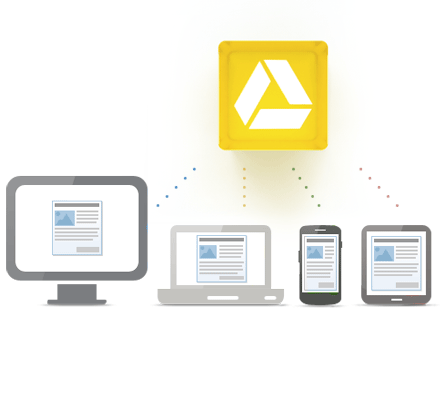
Google Drive adalah selalu tersedia - di web, di rumah, di tempat kerja dan di mana saja.Dimanapun Anda berada, Anda dapat mengedit file Anda dan membaginya dengan pengguna lain.Dapatkan 5GB penyimpanan gratis!

Access everywhere
Google Drive tersedia untuk
  • PC dan Mac
  • Chrome OS
  • iPhone dan iPad (tersedia segera)
  • Perangkat Android


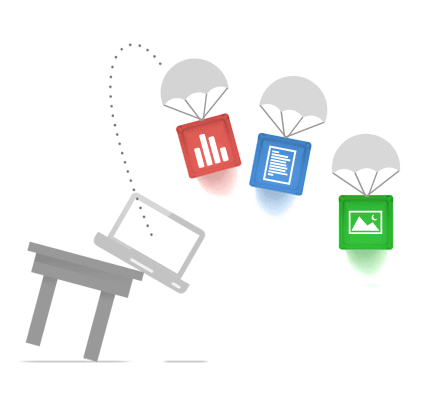
Store your files in a safe placeSimpan file Anda ditempat yang aman.

Kejadian Tak Terduga: Ponsel tercebur ke kolam. Laptop Terjatuh.Apapun yang terjadi dengan peralatan Anda, file Anda disimpan di Google Hard aman di awan.


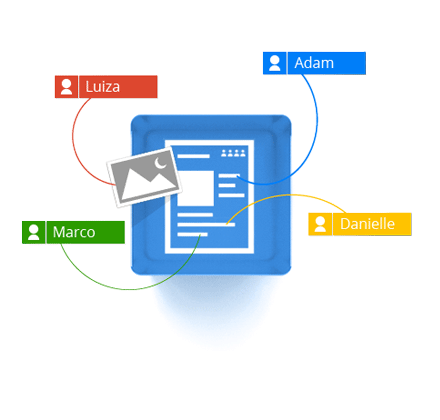
CollaborateBerkolaborasi secara real time.
Drive Google, Anda dapat melakukan lebih dari sekedar menyimpan file. Anda dapat berbagi file, folder dan dokumen khusus untuk saham Google lainnya, dan mengeditnya bersama-sama - dari perangkat apapun.

Drive melalui Google, Anda memiliki akses langsung ke Google Docs dan sebagainya serangkaian alat editing yang memfasilitasi kolaborasi - bahkan jika banyak rekan mil Anda pergi.

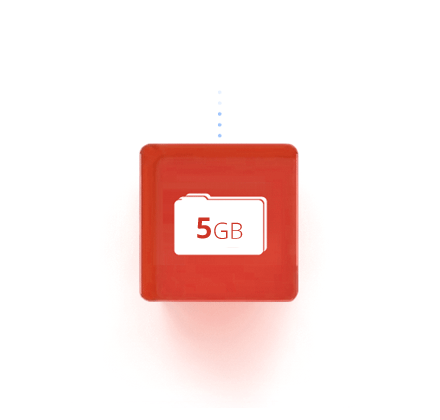
5 GB Free storage

Gratis
Dapatkan 5GB ruang penyimpanan gratis.
Sebagai permulaan, Anda memiliki 5 GB ruang disk bebas. Dengan upgrade ke 25GB kurang dari $ 2,50 per bulan Anda bisa - kurang uang - menyimpan hampir semuanya.